بقلم DHH في
Omarchy 4.5 floats, speaks 50 languages, and runs on your Mac
Omarchy 4.5 (aka Quattro RS!) is the first big feature release since Quattro, and it’s a whopper: over 740 pull requests merged from more than 180 contributors in just twelve weeks. It now offers a traditional desktop mode next to the tiling default. You can install it natively on a M1/M2/M3/Neo MacBooks. And it speaks 50 languages. And a gazillion other features, fixes, and improvements. Already on Omarchy? Run Update > Omarchy. New machine? Grab it here.
Floating workspaces with a dock
Super + L now cycles any workspace between tiling, scrolling, and floating. On a floating workspace, every window gets a titlebar in your theme’s colors, and a dock shows your pinned apps, everything that’s running, and a grid of every app installed. Drag to reorder or pin, right-click for more, and Super + M minimizes a window down to the dock.
This is a wonderful on-ramp for anyone arriving from macOS or Windows who isn’t ready to go all-in on tiling yet. Or for anyone who just wants one workspace where windows can sprawl. Mix and match per workspace, and the bar shows which layout each one uses.
Omarchy on Apple Silicon
Our incredible Omarchy M team has shipped the native Mac installer. Download an app on macOS, and it’ll put Omarchy right alongside it on your M1, M2, M3, or Neo MacBook. No USB stick, no terminal incantations. Prefer Homebrew? That’s one line:
brew install omacom/mac/omarchy
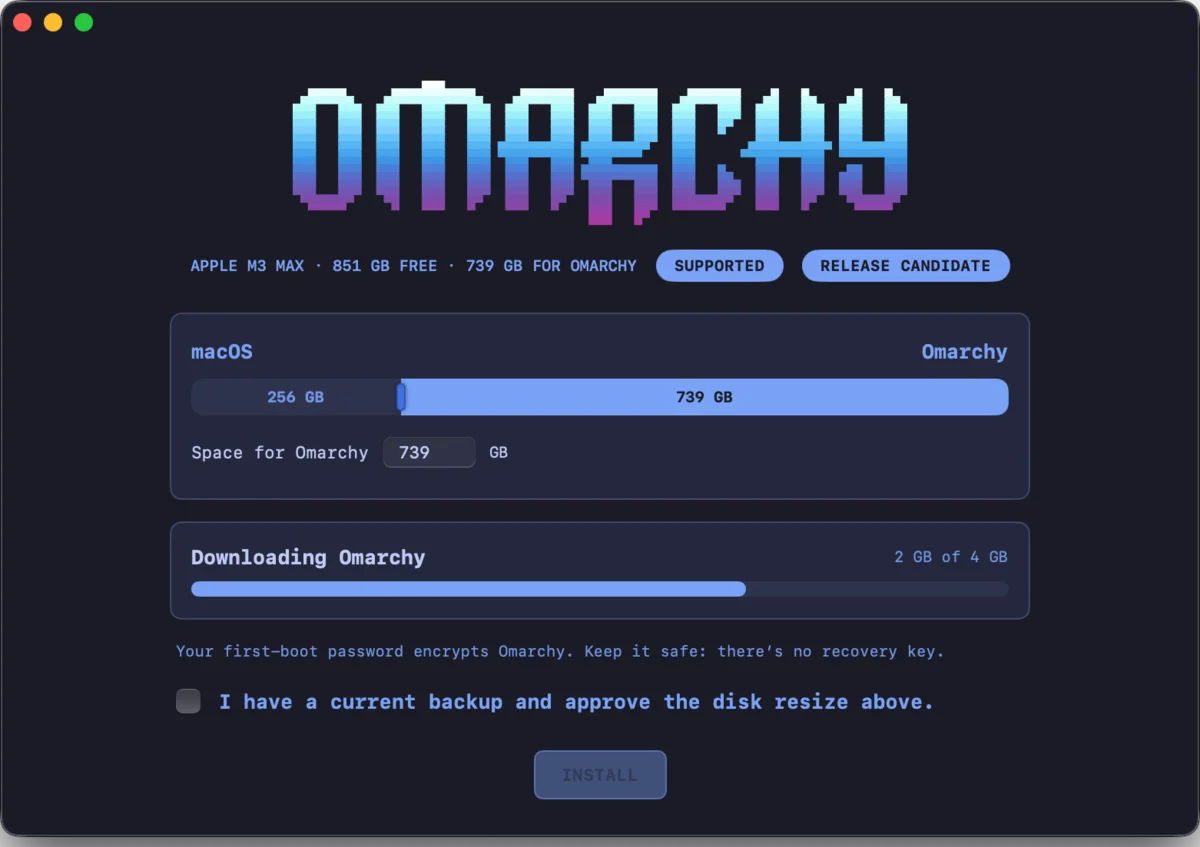
This is what we set out to do in September: finish what Asahi started. Two months later, you can just download it. Amazing work by everyone on the team.
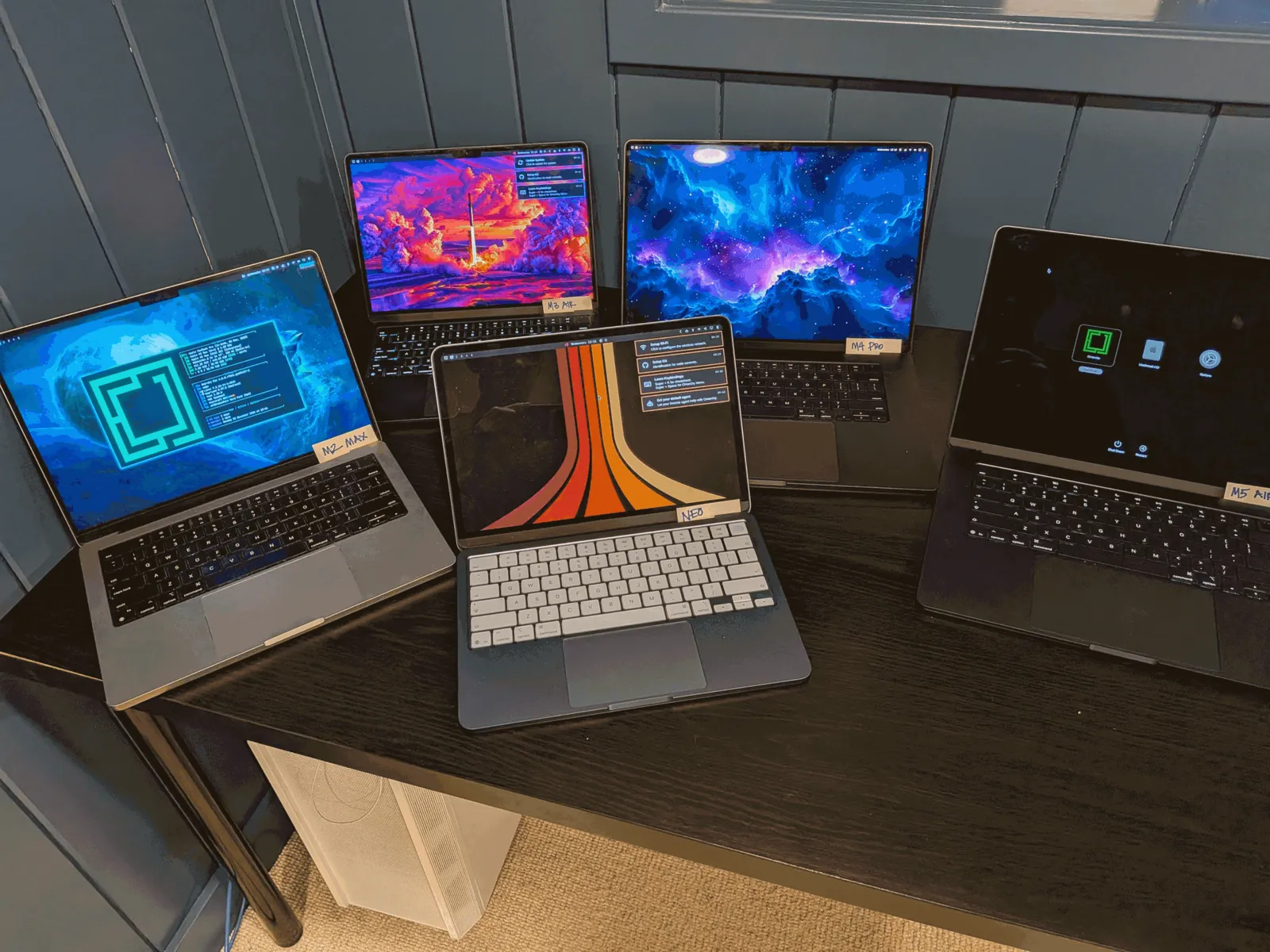
And they’re not stopping there. M4, M5, and M6 are all being worked on right now, so it probably won’t be long until Omarchy runs on every Apple Silicon Mac.
ARM support for NVIDIA DGX Spark + N1X (and soon Snapdragon)
Omarchy 4.5 ships its first ARM ISO, and with it comes preliminary support for NVIDIA’s ARM machines: the DGX Spark desktop and the laptops built on the N1X, like the Dell XPS 16 Creator Edition and the ASUS ProArt P14. And soon we’ll have support for the entire lineup of Snapdragon ARM machines as well. It’s still early days, so expect a few rough edges, and please report anything that breaks on GitHub.
50 languages and 5 input methods
Omarchy now speaks 50 languages. Pick one under Setup > Language (or run omarchy language <code>), and the menu, the desktop, and Omarchy’s notifications switch immediately. The system locale follows on your next login.
Speaking a language is only half of it, though. You also need to type it. So Omarchy now sets up proper input methods for Japanese (Mozc), Korean (Hangul), Simplified Chinese (Pinyin), Taiwan (Zhuyin), and Hong Kong (Cangjie), right from the installer or later under Setup > Keyboard. Each one comes with the right fonts for its character forms, the candidate window follows your theme, and Super + I switches between your input languages. Hangul, Zhuyin, and Cangjie keep their keys in the standard positions even if you type Latin on Dvorak, Colemak, or AZERTY, just like on Windows and macOS. And tapping Shift on its own steps out of an input method into Latin letters and back again, the way Sogou, Microsoft Pinyin, and macOS work.
Sign in to captive Wi-Fi portals
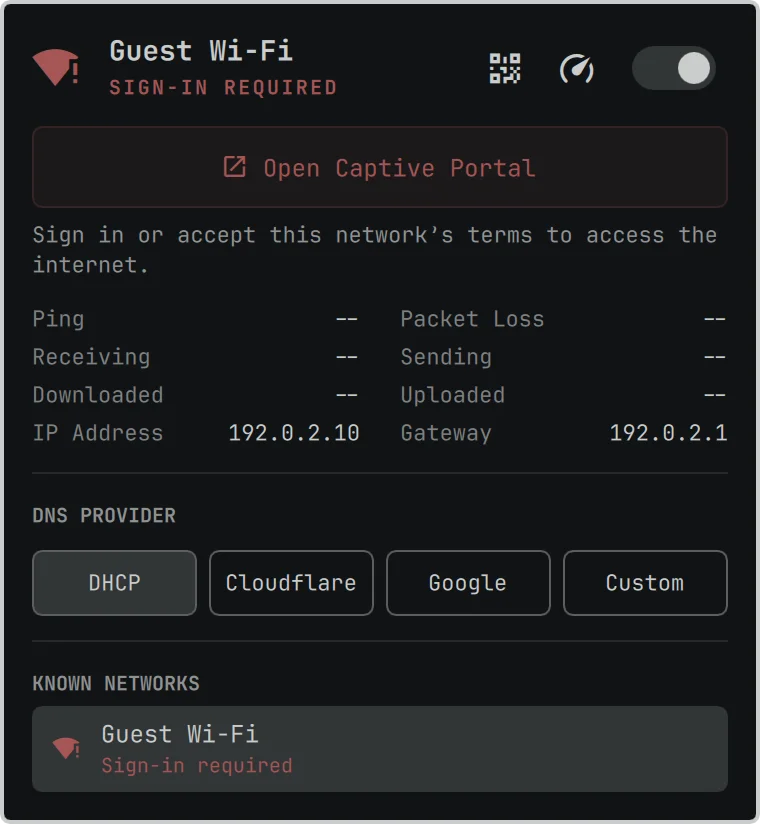
Hotel, airport, and coffee shop Wi-Fi finally just works. Omarchy now notices when a network wants you to sign in or accept its terms before letting you online. The network icon warns you, and the network panel shows a big Open Captive Portal button that takes you straight to the login page. Once you’re through, everything goes back to normal on its own.
Five new default apps
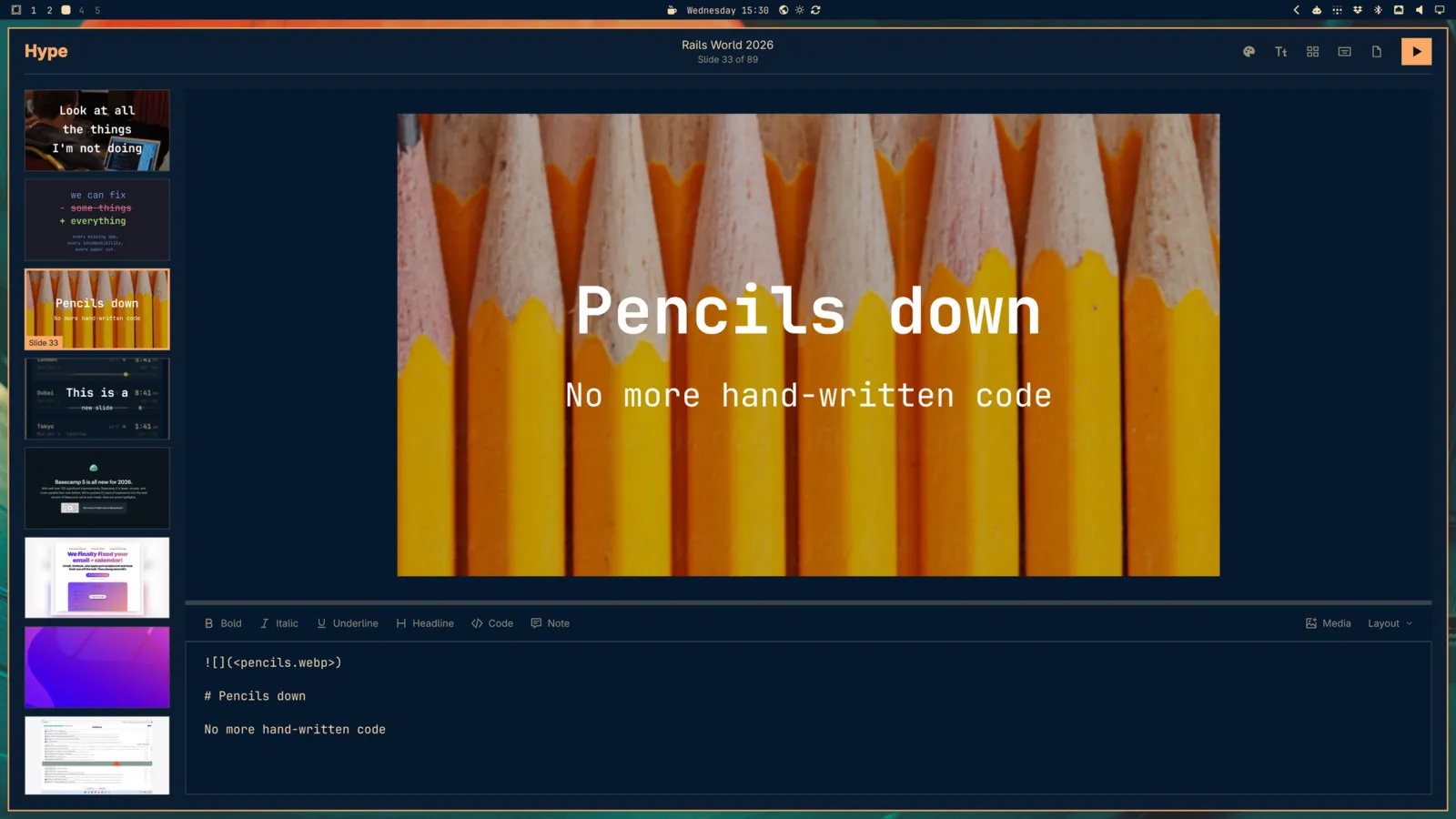
Hype makes presentations from a single Markdown file, with a visual slide editor beside the source, and exports to PDF or PowerPoint.
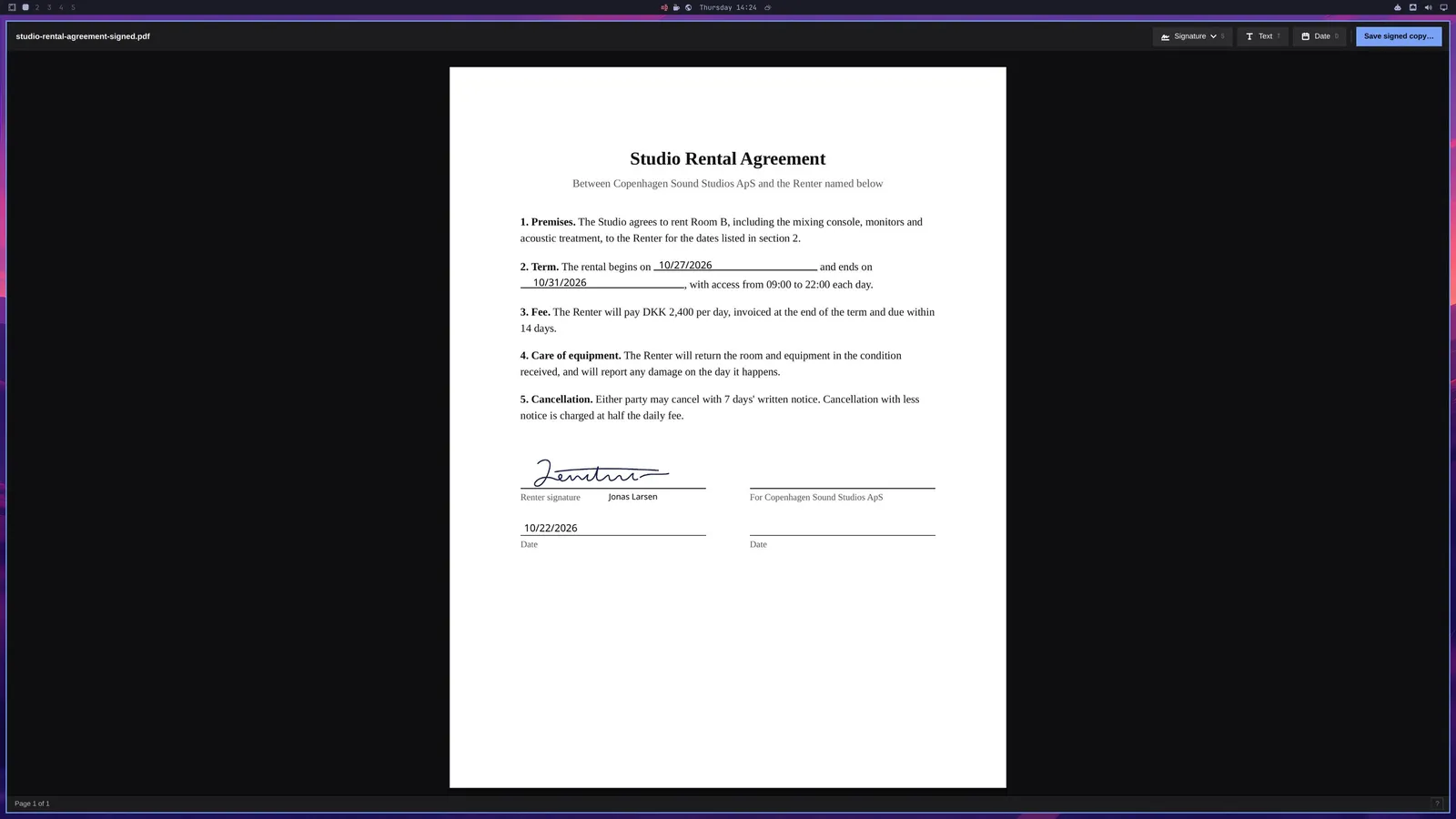
Signed replaces Xournal++ for the paperwork: open a PDF, place your saved signature, text, and dates, and save a signed copy.
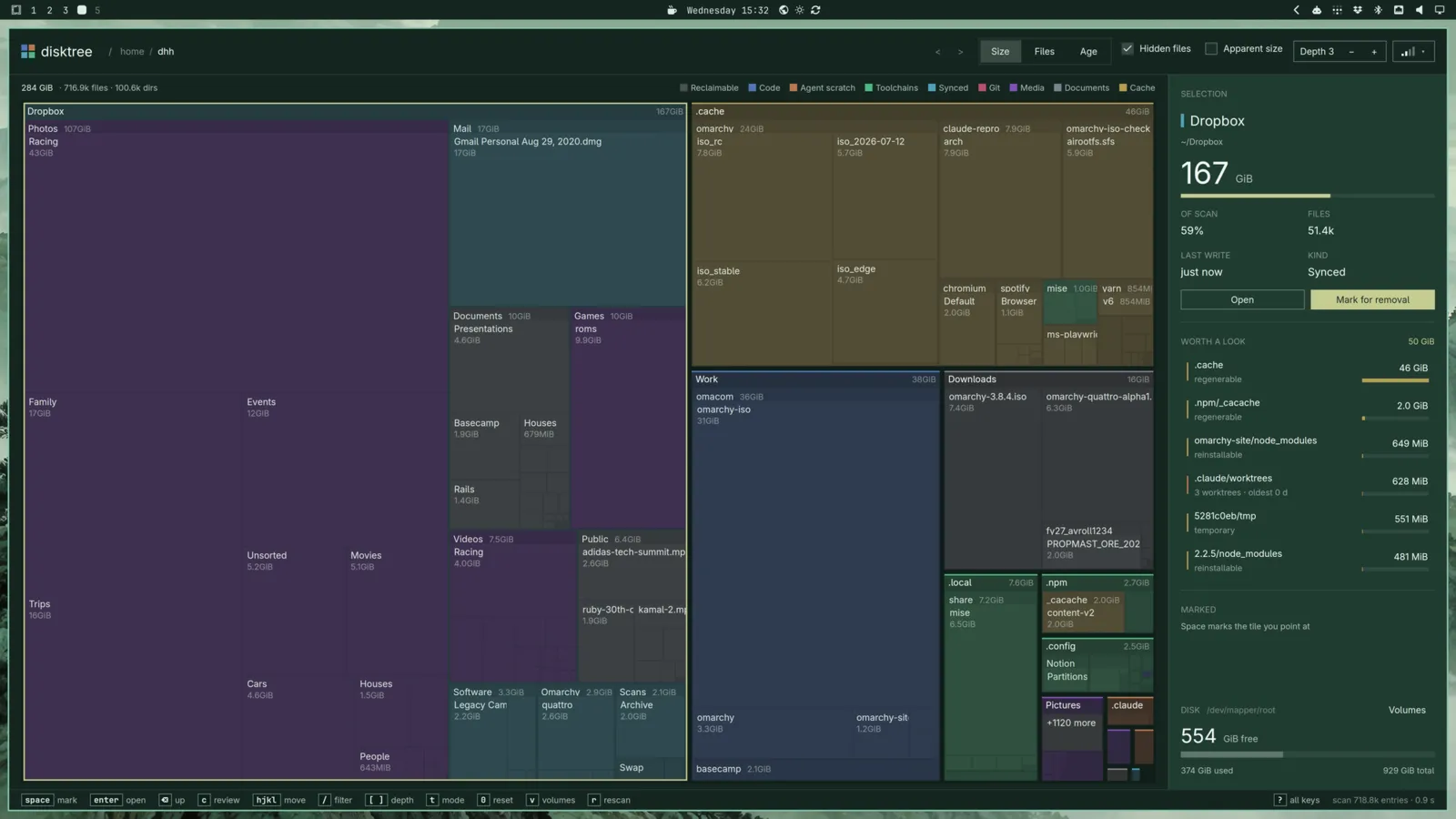
Disktree draws a treemap of what’s filling your disk, colored by kind, calls out the caches that are safe to regenerate, and lets you mark what should go.
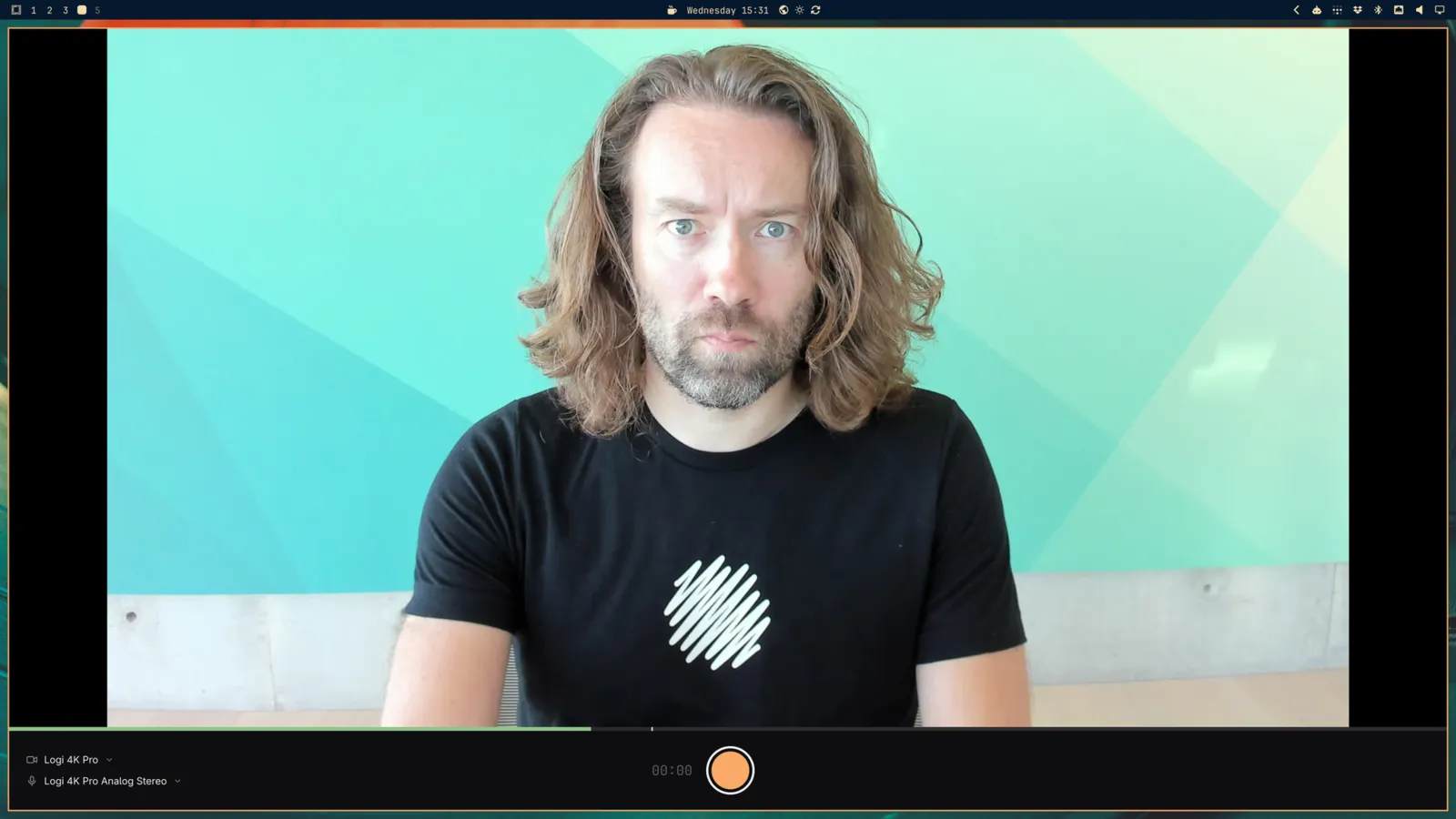
Monologue records your camera with one key, themed to match your desktop.
Gliff gives you a remote desktop over SSH. Connect to another Omarchy machine and drive its full desktop from a window on yours, with a tab for each machine. And because it rides on SSH, there’s nothing extra to set up or expose. The machine being controlled shows a remote session indicator in the bar, so it’s always clear when someone is on it.
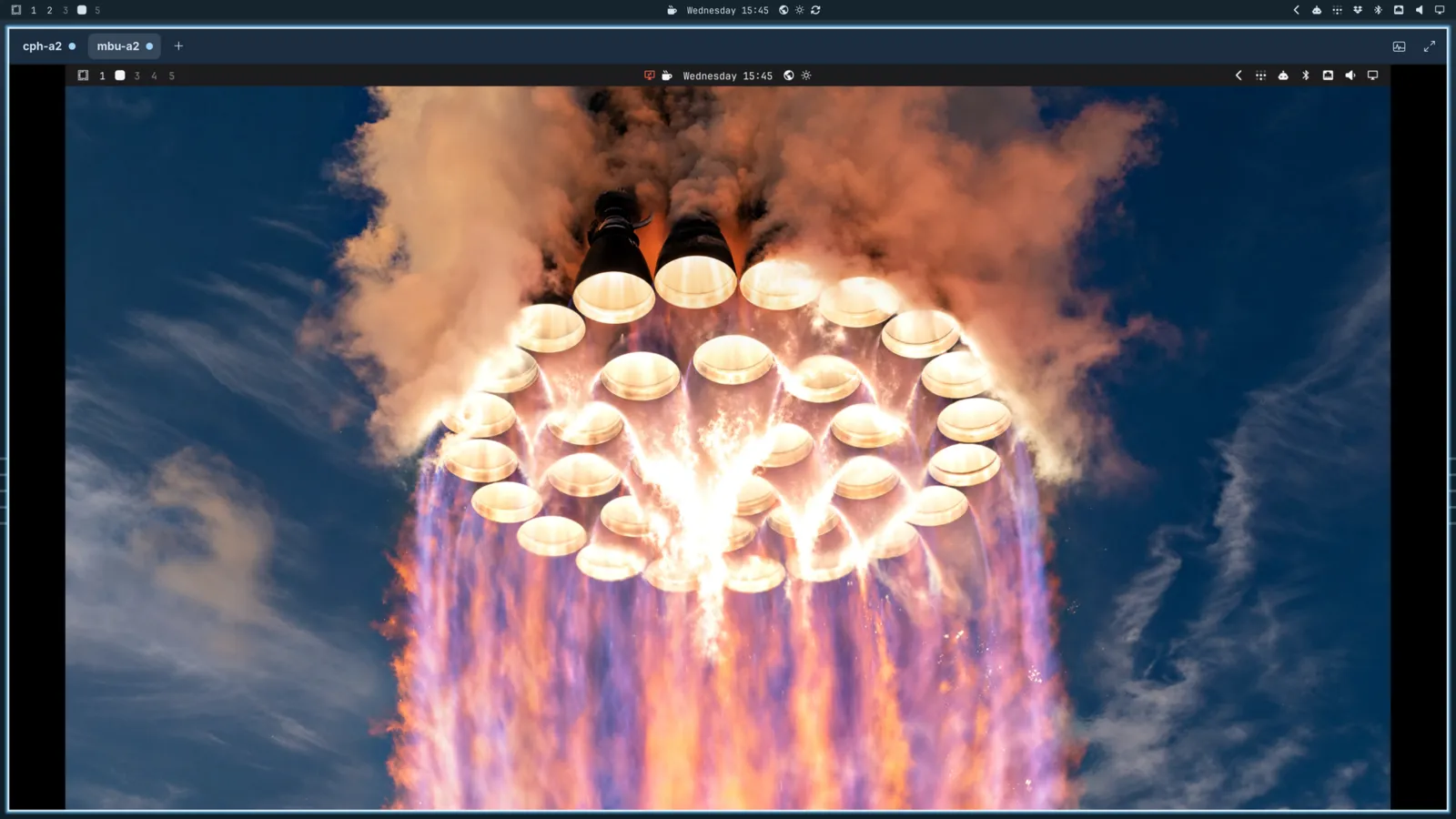
And there’s Elsewhen, a world clock that lives right next to the clock in the bar. Tap a city on the globe to set where you are, search for real places, and name the people who live in each city, so you always know whether it’s a decent hour to call. Flip between 12 and 24 hours with t, between °F and °C with Alt + T, and summon it anytime with Super + Ctrl + Alt + E.
With Monologue for recording and Omacut for trimming, new installs no longer ship OBS Studio and Kdenlive. Lazydocker is gone from new installs too, though Docker and Docker Compose are still included. Machines that already have any of them keep them.
Microsoft 365
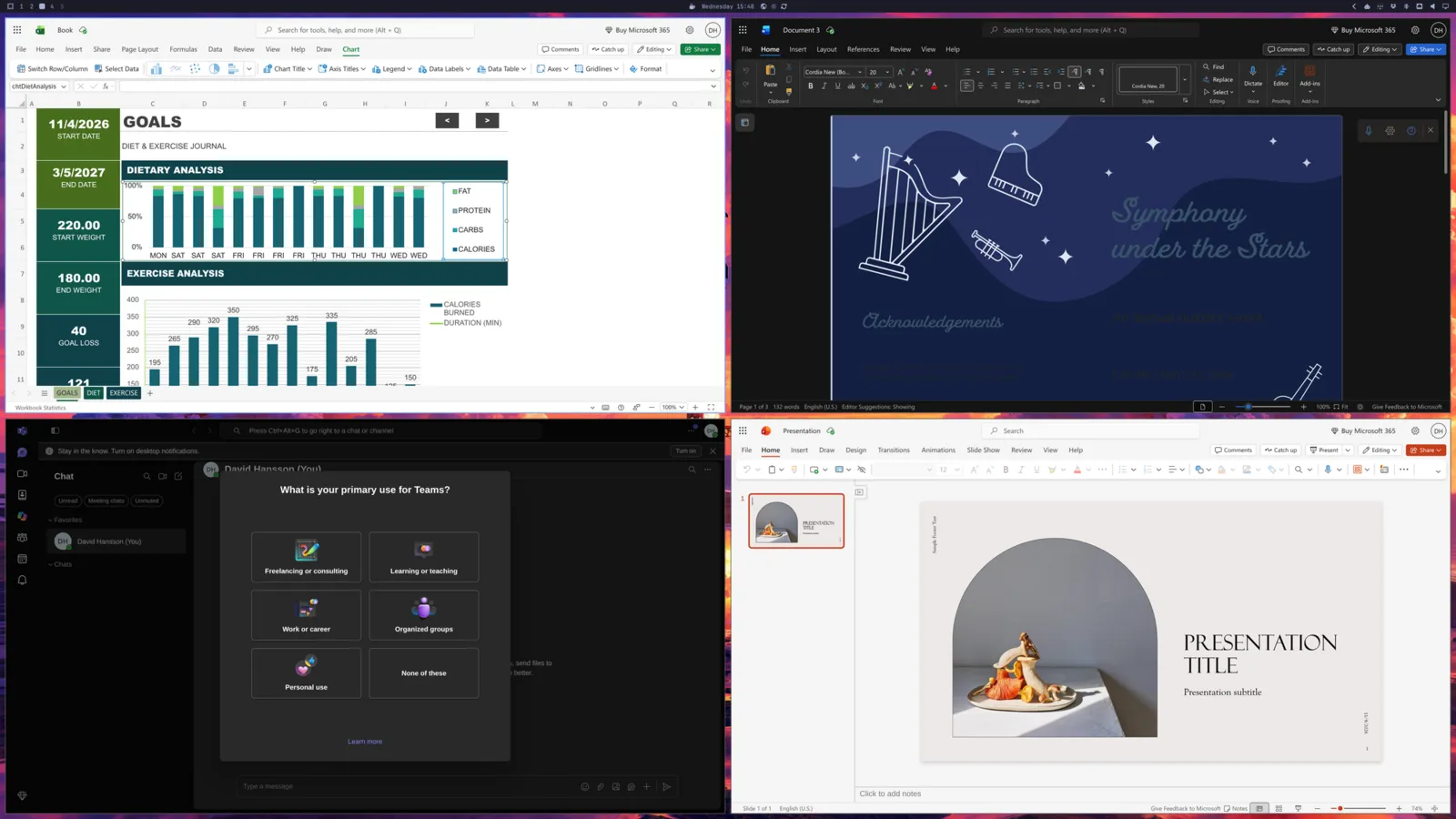
Need to work with people who live in Office? Install > Service > Microsoft now sets up Outlook, Word, Excel, PowerPoint, Teams, and OneDrive as web apps. Each one gets its own window and launcher entry, so they feel right at home next to everything else. No more excuses for not switching to Omarchy at work!
Superwhisper for dictation
Superwhisper is now Omarchy’s default dictation engine, and it’s set up out of the box. Tap Alt + Space to start talking and again to stop, or hold Right Alt for push-to-talk. It’s incredibly fast and very accurate.
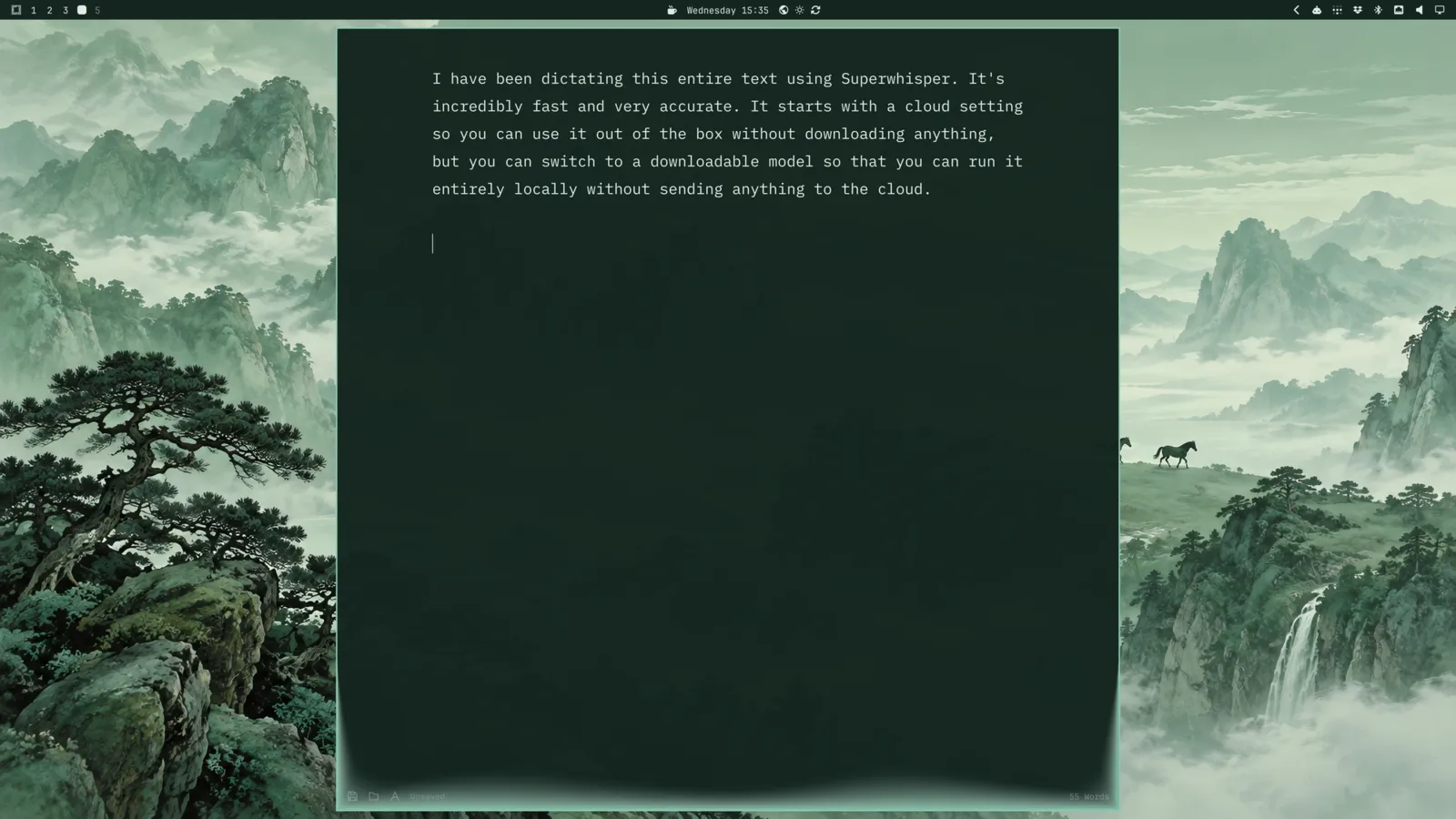
It starts in the cloud, so it works the moment you install, and the first 10,000 words are free. But you can switch to a downloadable model that’s entirely free and runs completely locally, without sending a word to anyone. And if you’d rather go with another local model, Voxtype is still on offer as an alternative.
Install in less than ten seconds
Omarchy used to install some 940 packages one by one. The new F1 installer instead unpacks a prebuilt root image and adds just this machine’s packages on top. That cuts install times roughly in half on any machine.
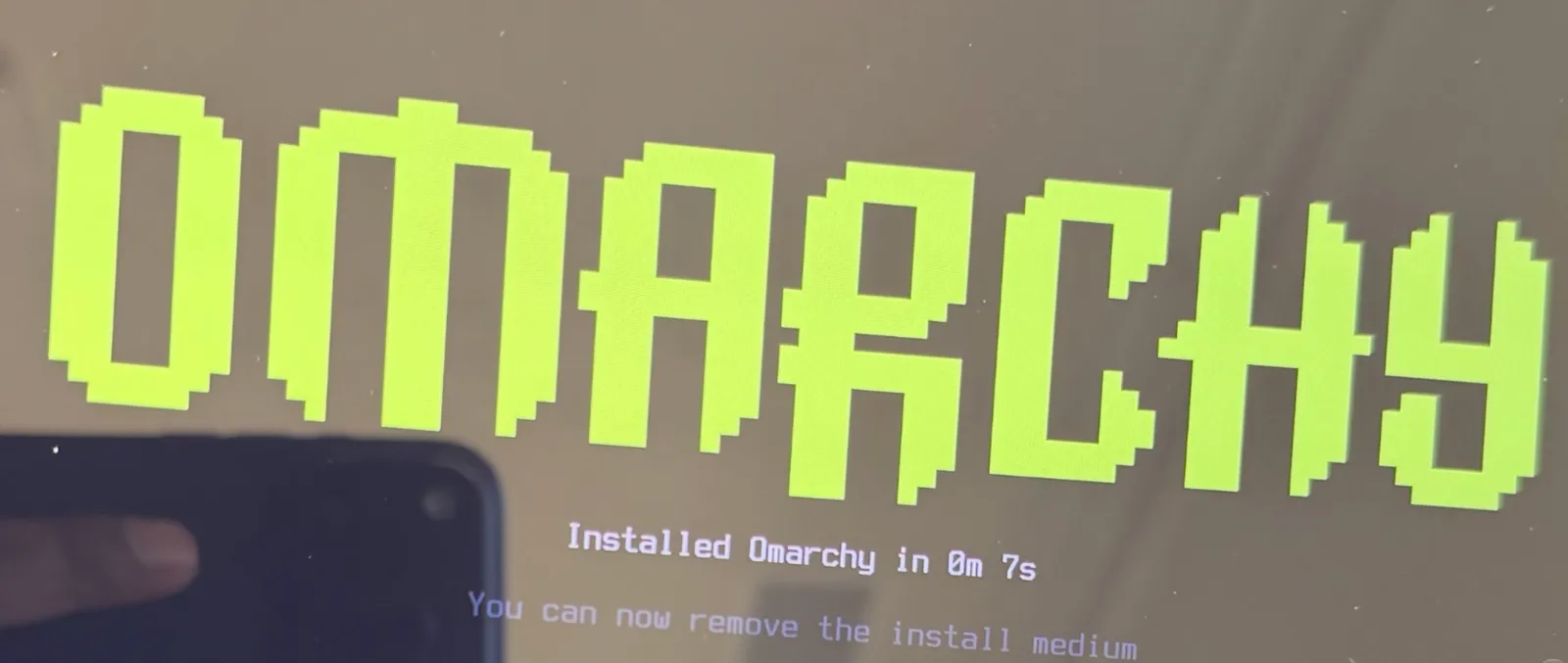
And on fast hardware, it’s absurd. Anush Elangovan from AMD set the world record with a full Omarchy install in 7 seconds on his AMD laptop. Seven seconds! I remember when five minutes seemed like an ambitious goal.
Faster everywhere else
It’s not just the installer. Startup no longer stalls on binfmt registration. The theme picker opens right away instead of after a quarter of a second. Menus and panels open straight from Hyprland shortcuts, skipping the 60 ms it took to start a process first. The Omarchy menu’s slowest checks went from 200 ms to 16 ms, a new terminal shows its prompt 30 ms sooner, and the whole desktop now reacts to changes instead of polling for them. Even logging out, rebooting, and shutting down happen the moment your apps finish closing.
Agent upgrades
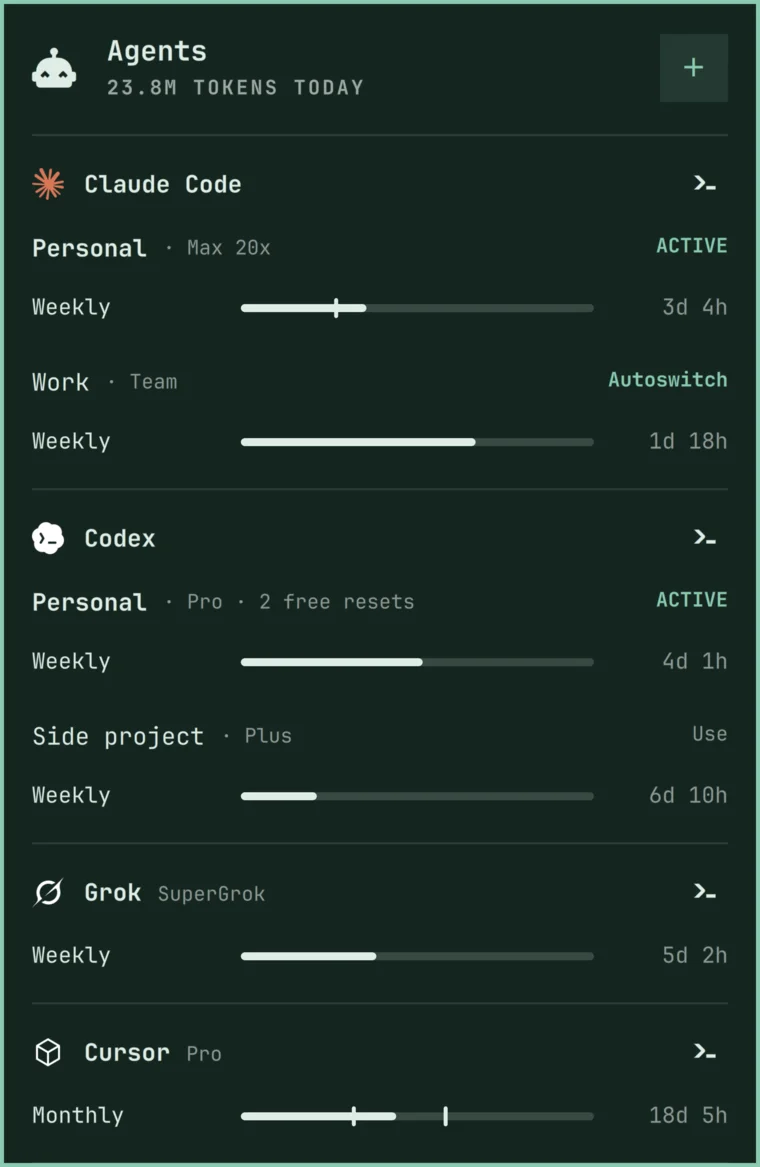
Omarchy is the agentic OS, and 4.5 brings a big round of upgrades for working with agents. The agents panel now tracks 23 agents and providers, up from 6, including Cursor, OpenCode, GitHub Copilot, Antigravity, Hermes, Amp, Kiro, Devin, Qwen, DeepSeek, OpenRouter, and Ollama. Every limit gets its own meter with the time until it resets, so you can see exactly how much runway you have left. And Grok is now a full provider alongside Claude and Codex.
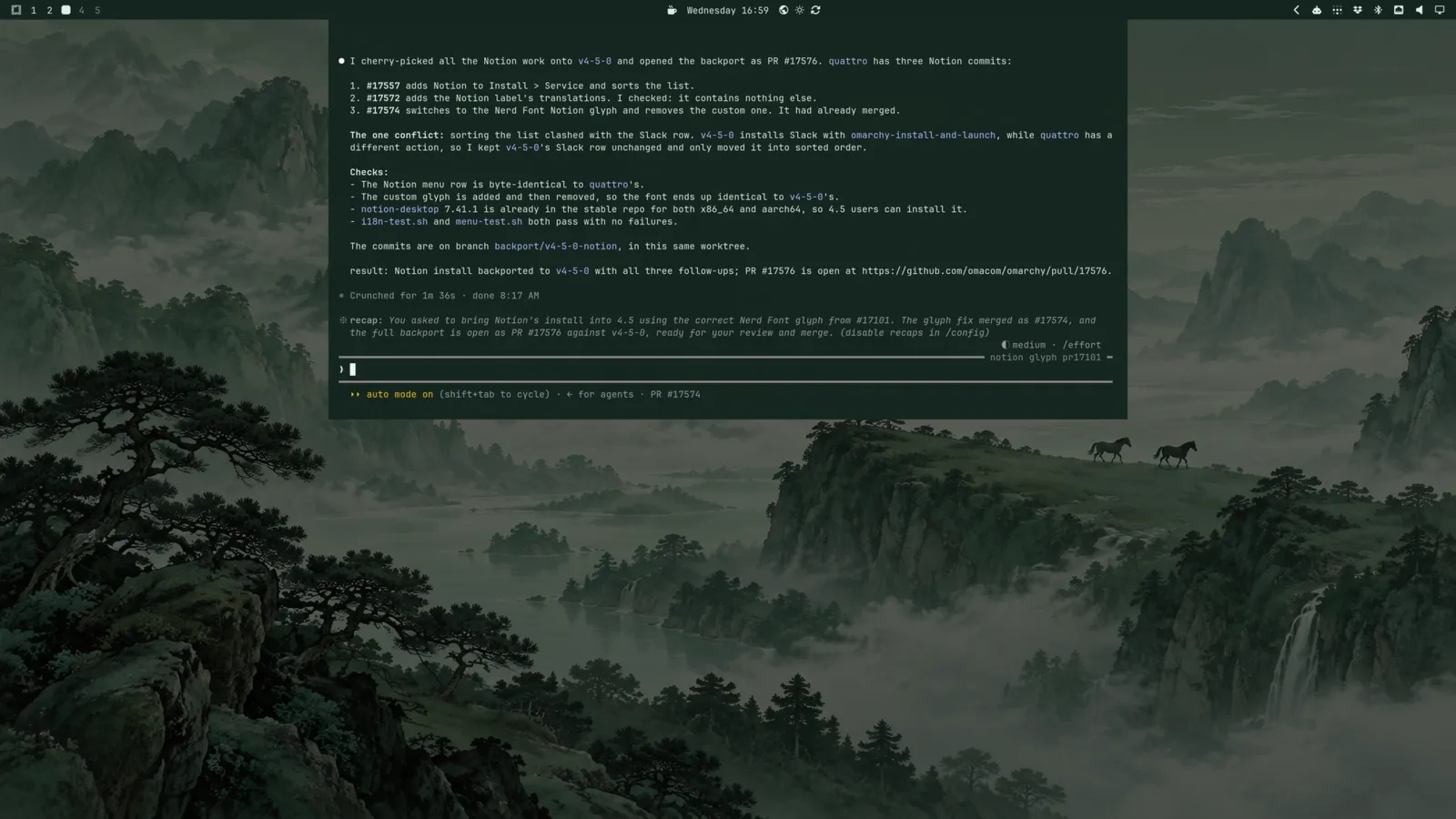
And your agent is always one keystroke away. Super + ~ drops down a Quake-style console over a dimmed desktop, and the first time you open it, it starts your default agent. Press it again to tuck it away, and your session is right where you left it.
If you juggle more than one subscription, you can now keep several Claude, Codex, and Grok logins on the same machine and pick which one new sessions start with, using omarchy agent account. History, settings, and skills are shared between them, so claude --continue picks up right where you left off after a switch. Near a limit, Omarchy can either offer a one-click switch or move new sessions over to the account with the most headroom on its own. And when you set up another machine, omarchy agent account copy brings all your logins over SSH, so you don’t have to sign in to everything again.
Kimi and Ori, OpenRouter’s agent harness, join the choices under Setup > Defaults > Agent, and Google’s Antigravity replaces the obsolete Gemini CLI (gemini still works as an alias). Prefer a window to a terminal? The Claude and Amp desktop apps are now a click away under Install > AI.
Notifications, rebuilt
Notifications now stack by sender, follow your theme, and collapse identical repeats. Action buttons, verification codes, and links all work right from the card. Super + Comma acts on the newest one (dismiss, open, or press its button), and Super + Ctrl + Comma hands you the keyboard to drive them all. The bell in the bar turns on Do Not Disturb.
Video backgrounds and theme intros
Backgrounds can now be videos. Drop one in, and your desktop comes alive with rolling waves or whatever else you fancy, while the lock screen shows a still frame from it. And themes now make an entrance: each one can play a short, silent intro when you log in or switch to it. (Rather keep it calm? Turn intros off under Appearance > Animations.)
Jade Horse joins the default themes
Jade Horse is all misty greens, with carved-jade backgrounds that make the whole desktop look like a scroll painting. It replaces Osaka Jade among the bundled themes, and it’s joined by Starship as the other new default theme. If you’re on Osaka Jade, you keep your copy, and it lives on as a third-party theme for anyone who wants to install it fresh.
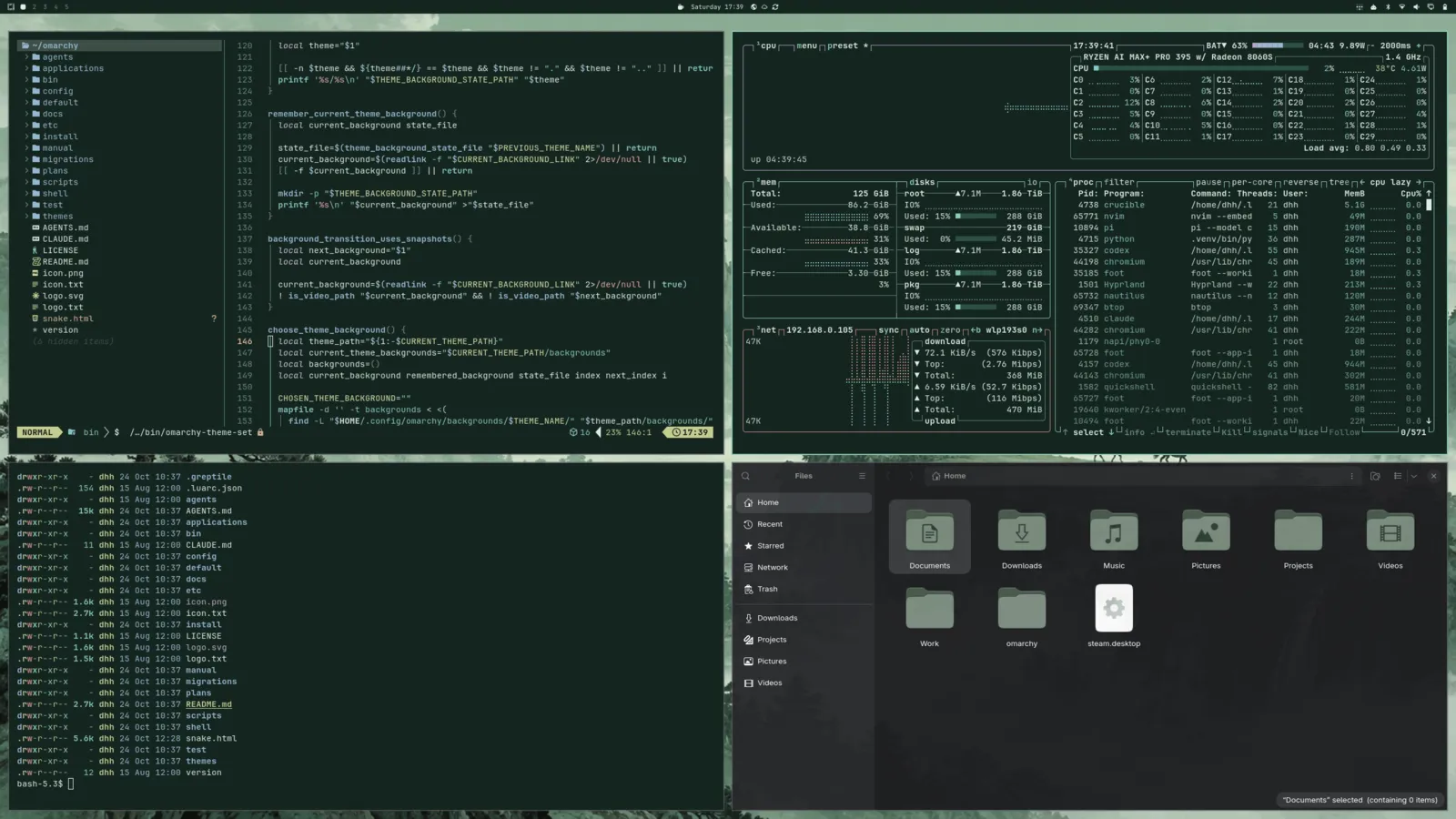
Liftoff is the new default background
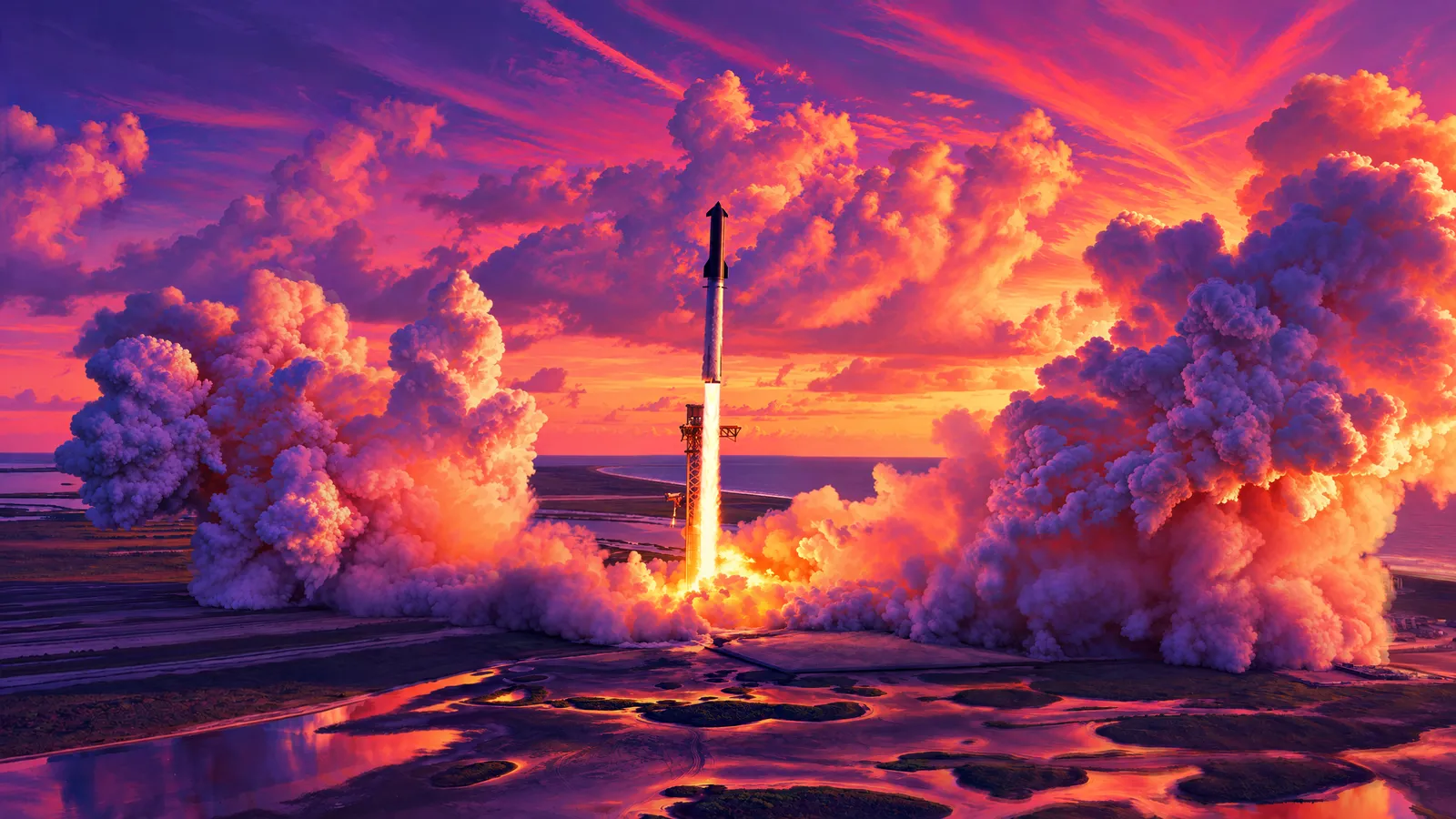
New installs now greet you with Liftoff, a gorgeous sunset launch that’s the new default background for Tokyo Night. It was made by Tom Ballard, who first created it for his Liftoff theme. Thanks, Tom!
Boot menu now quiet
Omarchy used to show the boot menu for about six seconds on every start, just in case you needed to roll back to an earlier snapshot. But almost nobody ever did. So now Limine waits just one second and boots quietly, and most of the time you won’t see the menu at all.
When you do need a different entry or a snapshot, keep tapping any key (the down arrow works) while the machine starts, and it’ll stop at the menu. And if you’d rather keep the menu up longer for good, set your own timeout: in /boot/limine.conf (like timeout: 5). Updates will leave a timeout you set alone.
Changed hotkeys
Some shortcuts moved:
- Calculator:
Super + Ctrl + Qis nowSuper + Shift + Q. - Activity:
Super + Ctrl + Tis nowSuper + Shift + T, andSuper + Ctrl + Topens themes. - Network:
Super + Ctrl + Wis nowSuper + Ctrl + N, andSuper + Ctrl + Wopens backgrounds. - Nightlight no longer has a shortcut (it was
Super + Ctrl + N); it’s inTrigger > Toggle. Super + Alt + Spaceopens Apps from the dock instead of the Apps menu.
Notification shortcuts changed:
Super + Commaacts on the newest card (dismisses it, opens it, or presses its one button) instead of only dismissing it.- Dismissing the last one moved to
Super + Alt + Comma, which used to open it. - Silencing moved from
Super + Ctrl + CommatoSuper + Ctrl + Alt + Comma;Super + Ctrl + Commanow hands you keyboard control.
A few keys work differently:
Super + Tab,Super + Shift + Tab,Super + Ctrl + Tab, andSuper+ scroll stay on the current monitor’s workspaces, since every monitor has its own.- In a terminal,
Super + CandSuper + VsendCtrl + Shift + CandCtrl + Shift + Vinstead ofCtrl + InsertandShift + Insert.
New defaults that could collide with bindings of your own: Super + Q (close window, alongside Super + W), Super + A (select all), Super + M (minimize to the dock), Super + ~ and Super + Shift + ~ (Quake console), Super + Alt + L (previous layout), Super + Shift + Ctrl + Arrows (move a window to another monitor), Super + Ctrl + Alt + C (screenshot), Super + Ctrl + Alt + E (world clock), Super + Ctrl + Alt + F (full screen desktop), and holding Right Alt for push-to-talk dictation.
More features
- Give every monitor its own workspaces:
Super + 1-0goes to the workspaces of the monitor you’re on, andSuper + Arrowsmoves to and from the other displays by @ryanrhughes in #15655 - Gather everything about how the desktop looks into a new Appearance menu, replacing Style: theme, background, font, bar, windows, branding, the dock, workspace layouts, animations, and the unlock screen by @dhh in #15973
- Pick Opaque, Transparent, or Glassy windows under Appearance > Window Transparency, plus a Glassy bar background by @dhh in #14991
- Pick theme, sharp, or rounded window corners under Appearance > Window Corners by @dhh in #14990
- Add a no-animations mode, on by default in VMs by @dhh in #13550
- Make apps opaque by default, keeping terminals transparent by @dhh in #14253
- Add Slack to Install > Service by @dhh in #14434
- Make Alt + Space toggle dictation on every backend by @dhh in #17188
- Add Open and Edit buttons to screenshot notifications, and Open and Cut to screen recordings and yt-dlp downloads by @dhh in #16505
- Add an Update > Kernel menu for switching the default kernel by @dhh in #15966
- Add theme sync to herdr machines by @dhh in #13430
- Add o.rebind for replacing Hyprland keybindings by @ryanrhughes in #10537
- Ask for your git identity after first login instead of in the installer, with GitHub sign-in by @omarchybot in #16288
- Allow install media to preset the language, keyboard, and timezone by @omarchybot in #15522
- Allow bar widgets to live in the tray’s drawer by @dhh in #15281
- Allow removing a bar widget by dragging it off the bar by @ryanrhughes in #6782
- Allow scrolling through workspaces from the bar by @outfoxxed in #15256
- Allow deleting extra themes from the theme picker by @dhh in #14713
- Add hey, basecamp, and Cloudflare CLIs as lazy-installed tools by @monorkin in #7626
- Add SSH Agent as an optional service by @carletex in #9399
- Allow choosing how long passwordless sudo lasts by @dhh in #14435
- Add a hover close button to notification toasts by @dhh in #6946
- Allow muting a program’s notifications from its crash diagnosis by @omarchybot in #8549
- Allow omarchy-notification-send to add action buttons by @dhh in #16466
- Add a clock format with live seconds by @omarchybot in #7586
- Adjust the keyboard backlight with Ctrl and the brightness keys by @ludagoo in #16650
- Print the OEM Windows product key from firmware by @dhh in #7480
- Add original vi as a terminal editor choice by @dhh in #10307
- Add the Roadster Starlight background to Ethereal by @bjarneo, @tcballard in #15878
Security
- Keep the Windows VM password out of the RDP client’s arguments by @dicemans in #7902
- Move screen-recording state out of world-writable /tmp by @Chessing234 in #8374
- Harden passwordless sudo expiry across suspend by @AFOliveira in #9457
- Bind update inhibitor cleanup to the process that created it by @AFOliveira in #9467
- Isolate OCaml cleanup authorization by @ErikMelton in #10217
- Pin factory-reset elevation to the packaged command by @AFOliveira in #13047
- Remove saved fingerprint templates for the invoking user on reset by @AFOliveira in #13049
- Refuse hook and state names that are paths by @Adolanium in #8170
- Defer to system-auth in the polkit stack written by fingerprint and FIDO2 setup by @Wheel-Smith in #9873
- Remove fingerprints from the reader’s own storage when removing them by @scottjones in #16403
- Prevent SSH setup from leaving sshd running with password logins when no key gets added by @omarchybot, @thebytorsnowdog in #14667
- Prevent another local user from swapping in their own program during a Voxtype upgrade by @Vladkarok in omacom/omarchy-pkgs#937
- Harden how factory reset passes your gum settings through sudo by @AFOliveira in #13316
Fixes
- Fix Hyprland crashing when a monitor is unplugged, disabled, or turned off by closing the lid by @falkoro in #16750
- Fix upgrades that could leave a kernel image without its root= parameter by @dhh in #6951
- Fix factory reset erasing other systems’ boot entries by @omarchybot in #14949
- Fix an install next to another Omarchy removing that install’s boot entry by @emirb in omacom/omarchy-iso@716bc15
- Fix free-space installs that could take an existing partition for a new one by @emirb in omacom/omarchy-iso#307
- Fix resuming an interrupted drive password change removing the wrong key by @scottjones in #14874
- Ask for the sudo password once per Omarchy update by @dhh in #13323
- Ask for the sudo password once for ten minutes instead of again on every command by @dhh in #17000
- Cover AUR updates and the boot check with the update’s single sudo prompt by @omarchybot in #16568
- Keep package updates safe from logging out mid-transaction by @dhh in #11651
- Log out, reboot, and shut down as soon as apps finish closing by @dhh in #15231
- Replace Tensaku with Omasnap for screenshots by @ryanrhughes in #9446
- Grow panels out of the bar and morph between them, with press feedback on buttons and bar icons by @dhh in #16470
- Slide notifications in from under the bar and back out the way they came by @dhh in #16469
- Check connectivity against Omarchy’s own endpoint, and fix signing in to captive portals by @dhh in #16186
- Fix switching from edge to stable or RC leaving the machine on an old build by @emirb in #15903
- Fix the update to 4.5 stopping when the shell is slow to answer by @AnPod in #13468
- Fix updates failing silently when started outside the desktop session by @dhh in #17420
- Fix a failed mise tool download stopping the rest of a system update by @sanjyay in #16318
- Fix updates failing when omarchy-nvim isn’t installed by @imzihuailin in #15141
- Fix dual-boot installs failing to mount the EFI partition by @Damian626 in omacom/omarchy-iso#111
- Fix installs stopping when the firmware won’t take a new boot entry by @ryanio in omacom/omarchy-iso@238bb33
- Fix installs stopping on disks with an old RAID member or volume group by @omarchybot in omacom/omarchy-iso#327
- Start the installer sooner by not waiting on every USB device and boot job by @emirb in omacom/omarchy-iso#314
- Speed up disk encryption with 4096-byte sectors on new installs by @emirb in omacom/omarchy-iso#336
- List internal disks first and open the install screens on the safe choice by @emirb in omacom/omarchy-iso#320
- List Full disk install first in the installer, and go back with Esc on the disk screens by @emirb in omacom/omarchy-iso#348
- Fix scaling one monitor changing the scale of every other monitor by @dhh in #16923
- Fix XWayland apps coming out too big when monitors use different scales by @dhh in #16950
- Fix HDR displays switching to a washed-out HDR picture when a window goes fullscreen by @dhh in #17157
- Fix blurry menus and pickers on fractionally scaled displays by @dhh in #13419
- Fix the laptop display staying off after unplugging the external display by @Hamza0101, @dhiasalhiQ in #16310
- Fix re-enabling a display resetting its position, scale, and mode by @zihaomu in #16147
- Fix menus and pickers not reopening after a monitor is disconnected by @dhh in #14458
- Fix per-monitor workspaces moving after a monitor is unplugged by @ryanrhughes in #15867
- Fix the shell crashing when an audio device disconnects with the audio panel open by @omarchybot in #7783
- Fix fullscreen windows losing fullscreen after the screensaver by @MGross21 in #3284
- Fix the cursor disappearing at startup after Hyprland reloads by @spencerbull in #14935
- Fix the cursor turning invisible over XWayland apps by @Sebo1411 in #14580
- Fix clipboard capture hangs by @maxcroy1 in #9488
- Fix keyring access through the XDG Secret portal by @pkwagner in #9594
- Fix fingerprint enrollment and lock-screen recovery by @GeertJohan in #7158
- Guide fingerprint enrollment step by step by @scottjones in #15512
- Fix key auto-repeat in the lock screen password field by @berndb in #7806
- Fix the lock screen wallpaper loading after the password field on wake by @dhh in #13431
- Fix screen lock timeouts when the session names a display that’s gone by @dhh in #15226
- Speed up opening a terminal in the current window’s directory by @dhh in #13423
- Make VS Code-family editors follow theme changes live by @Macho0x in #10134
- Retheme running Hunk sessions on theme change by @dhh in #13518
- Remember the selected wallpaper for each theme by @OldJobobo in #7718
- Keep the image picker fast and sharp with large collections and HiDPI by @keylimesoda in #14117
- Cut the CPU and memory the transparent bar spends sampling the wallpaper by @ryanyogan, @aholbreich in #8307
- Speed up the Tailscale panel on tailnets with thousands of machines by @iskakaushik in #7623
- Bring Grok up to par with Claude and Codex in the agents panel by @dhh in #13992
- Apply agent account selection to CLI subprocesses by @dhh in #14233
- Show Codex individual spend limits and their reset times by @Stegi56 in #15722
- Set up browser integration when choosing Claude by @dhh in #11934
- Fix agents not finding mise tools installed after they started by @dhh in #16593
- Fix pasting screenshots into agents in herdr panes started over SSH by @dhh in #16572
- Fix the agents panel missing compressed Codex sessions by @omarchybot in #16385
- Return Caps Lock to normal and make Shift + Caps Lock the compose key by @dhh in #14939
- Apply the system keyboard layout to the login screen by @g-desoutter in #6896
- Fix layout switching skipping every other press with a non-Latin keyboard layout by @manuaudio in #14076
- Turn on hardware video decoding in mpv by @dhh in #15172
- Switch TCP congestion control to BBR and use the kyber I/O scheduler on real disks by @dhh in #11658
- Install T3 Code as its self-updating AppImage by @ryanrhughes in #15907
- Improve PHP and Laravel installation by @nunomaduro in #12141
- Install Node lazily and leave your mise config alone by @ryanrhughes in #15876
- Install missing apps when choosing defaults by @dhh in #6950
- Dim installed software in the Install menus instead of hiding it by @dhh in #6955
- Register password manager and other native messaging hosts for Brave Origin by @dhh in #10292
- Group Brave Origin web notifications by site, and open the right tab when clicked by @ryanrhughes in #16296
- Approve orphan package removal automatically during updates by @dhh in #14428
- Update Omarchy’s keyring before every update by @emirb in #17311
- Offer to reboot after switching channels by @dhh in #17251
- Offer the first-run update only when there’s something to update by @emirb in #16211
- Find the weather location and the installer’s timezone with Omarchy’s own geo service by @emirb in #16240
- Set the clock from ntp.omarchy.org instead of Arch’s NTP pool by @emirb in #16247
- Measure network speed with Omarchy’s own speed test by @emirb in #16681
- Show a traced-icon progress screen during first boot by @dhh, @DjDeveloperr in #17156
- Boot the live ISO on the Omarchy kernel, and on the T2 kernel only on Macs by @emirb in omacom/omarchy-iso#310
- Stop offline installs waiting on mise version lookups by @emirb in omacom/omarchy-iso#323
- Fix offline installs defaulting the timezone to Africa/Abidjan by @emirb in omacom/omarchy-iso#329
- Fix the installer’s timezone picker not letting you type to search by @emirb in #17040
- Fix the live ISO hanging behind the splash when booted from a Ventoy stick by @emirb in omacom/omarchy-iso#348
- Fix German and French console keymaps in the installer’s setup form by @omarchybot in #14684
- Hide gum’s English key hints in the installer and git setup by @dhh in omacom/omarchy-iso#325
- Drop the English-only jokes from the install progress screen by @dhh in omacom/omarchy-iso#326
- Fix installer output landing unpadded on the screen while it prepares the disk by @emirb in omacom/omarchy-iso#338
- Fix the Quattro upgrade resetting the default browser to Chromium by @omarchybot in #15074
- Fix the Quattro upgrade stopping on background names with non-ASCII characters by @Pitchfork-and-Torch in #15277
- Fix the kernel migration stopping on machines that boot with GRUB or systemd-boot by @manuaudio in #14188
- Fix hibernation on unencrypted machines with more than one NVMe disk by @emirb in #16658
- Fix the FIDO2 migration being marked done before it was resolved by @ErikMelton in #16421
- Fix a floating workspace taking over the first window your own float rule covers by @zihaomu in #16143
- Fix the compositor stalling when Super + L cycles a workspace in and out of floating by @omarchybot in #16397
- Fix Alt + Shift + Tab not cycling backwards through every window by @omarchybot in #8576
- Fix popped-out windows not centering when moved to another monitor by @omarchybot in #14549
- Fix new terminals opening outside your home folder when a non-terminal window is focused by @omarchybot in #15007
- Fix 1Password and Bitwarden windows not floating by @dhh in #11704
- Fix 1Password closing when the installer terminal exits by @dhh in #12402
- Fix DaVinci Resolve dialogs stealing pointer focus by @AksharP5 in #6919
- Fix the desktop showing through Windows VM displays by @jmwall in #8162
- Fix legacy Windows VM passwords containing $$ after the Quattro migration by @omarchybot in #13432
- Stop Hyprland’s donation popup from showing after upgrades by @dhh in #17153
- Improve dragging and arranging bar widgets by @outfoxxed in #15517
- Normalize bar icon size and alignment by @bjarneo in #15065
- Reveal the hidden bar indicators only when hovering left of the clock by @dhh in #16293
- Align tray icons with the bar’s other icons by @ayoubdya in #16089
- Show the next bar tooltip right away while one is already up by @dhh in #16488
- Open the clock and weather panels under their widgets by @scottjones in #8942
- Keep the network panel open after picking a DNS provider by @dhh in #16485
- Fix a closing popup leaving bar widgets unresponsive by @omarchybot in #15111
- Fix the hidden bar catching clicks along the top of fullscreen windows by @dhh in #16991
- Fix dark tray icons disappearing into the bar by @omarchybot in #14661
- Fix bar icons sitting uneven or off-center by @dhh in #17003
- Fix bar tooltips drawing their first frame at the wrong size by @omarchybot in #16243
- Fix notification history showing every card as just now by @dhh in #16277
- Fix first-login notifications collapsing into a single stack by @dhh in #16515
- Fix notification clicks not focusing apps with multi-word names by @omarchybot in #16380
- Fix Taildrop notifications showing empty text and missing previews by @dhh in #16301
- Fix the battery notification showing an empty time and 0W on a full battery by @dhh in #16272
- Fix the low battery warning staying up after plugging in and coming back after reboots by @omarchybot in #16562
- Fix battery draw reading 0W on some laptops by @dhh in #17265
- Fix a full battery on AC showing as draining by @omarchybot in #16278
- Fix Hibernate showing when the kernel won’t hibernate by @omarchybot in #7779
- Fix gvfs mounts going missing after resume by @omarchybot in #14496
- Fix the keyboard backlight staying off after the lock blanks twice by @omarchybot in #15908
- Fix the fingerprint reader waking while the lock has displays off by @dhh in #15294
- Fix the boot password prompt off-center when a display appears late by @dhh in #11641
- Fix the screensaver’s exit key flashing in the corner by @dhh in #16596
- Fix the Wi-Fi icon flickering on OWE transition-mode networks by @dhh in #14133
- Fix an OWE error printed in the terminal after installing a theme by @dhh in #16872
- Fix a flicker when switching from a still to a video background by @bjarneo in #17082
- Update Hackerman to an upscaled geometric background by @dhh in #16892
- Fix themes with cyclic color references hanging the theme switch by @AFOliveira in #13046
- Fix Neovim failing to start with the Catppuccin theme by @anandude in #12864
- Fix OpenCode 2 starting on its stock theme instead of Omarchy’s by @dhh in #17293
- Fix low-contrast inline code in the generated VS Code theme by @omarchybot in #15818
- Fix T3 Code installs stopping while matching the current theme by @emirb in #16962
- Fix the terminal font size resetting when changing font family by @sbalbalosa in #6958
- Fix changing fonts printing a terminal’s process ID by @omarchybot in #15820
- Fix switching languages rebuilding every locale and losing them on a nearly full disk by @omarchybot in #16414
- Fix the shell showing raw translation keys before its translations load by @zihaomu in #16059
- Speed up translated text in Omarchy’s scripts by @dhh in #16584
- Update translations for 686 strings, 392 of them in the manual by @ryanrhughes in 2550970
- Fix volume and output controls in non-English locales by @Sebo1411 in #14855
- Fix CPU usage readings in non-English locales by @omarchybot in #15109
- Fix the fcitx5 service restarting forever when fcitx5 isn’t installed by @therk in #11694
- Fix the keyboard layout widget switching devices nobody types on by @bjarneo in #10670
- Fix the keyboard layout widget switching to vendor hotkey devices by @yashranaway in #9129
- Fix the keybindings menu leaving a Lua process running at 100% CPU by @tobi in #7564
- Fix the clock flooding the log every millisecond when daylight saving time ends by @falkoro in #16684
- Fix the shell replacing a shell.json it couldn’t read with the defaults by @omarchybot in #14534
- Fix the Omarchy menu losing its rows while its file is being updated by @dhh in #16268
- Fix re-enabling a plugin not bringing back its bar widget by @berrimi in #12540
- Fix local plugins reloading in a loop on their own Python bytecode by @omarchybot in #15093
- Fix hidden buttons in plugins collapsing to their padding by @dmkenney in #15786
- Fix dropdowns cutting off their last item by @sprajs in #13916
- Fix dropdowns not closing on a second click by @felixzsh in #6725
- Fix slider knobs stopping short of the end of the track by @erikrjohansson in #9345
-
Fix Update > Hardware > Trackpad missing most touchpads and resetting the keyboard by @dhh in #17280
It now releases a stuck button on every touchpad, and resets only the touchpad instead of the keyboard and touchscreen with it.
- Make the webcam menu check for cameras without turning them on by @omarchybot in #15910
- Fix Omasnap’s scroll capture grabbing only black frames by @falkoro in #16715
- Fix the screenshot picker unbinding your own keys by @omarchybot in #15126
- Fix stopping a recording announcing an empty saved recording by @omarchybot in #15073
- Fix the image picker showing stale thumbnails for images saved over by @omarchybot in #15079
- Fix night light not fully resetting when turned off by @omarchybot in #14489
- Fix the media widget leaving a paused track for an idle player by @omarchybot in #14585
- Fix repeated display scans on monitors that don’t report brightness by @omarchybot in #14525
- Fix Super + Shift + Return failing when the configured browser was uninstalled by @vitally in #16422
- Fix calculator shortcuts staying after removing preinstalled apps by @OldJobobo in #7716
- Fix the Copy URL shortcut in Brave Origin profiles by @dhh in #10308
- Fix the Bitwarden extension popout opening at the wrong size by @omarchybot in #14514
- Fix Battle.net opening at 100% scale on HiDPI monitors by @ryanrhughes in #17418
- Fix Inkscape’s file choosers opening tiled by @omarchybot in #15792
- Fix Go AUR packages failing to build during updates when mise manages Go by @shbernal in #16388
- Fix ONCE installation when you’re not in the docker group by @kevinmcconnell in #8224
- Fix agent panel clicks opening the tray by @dhh in #15501
- Fix agent account setup tripping on a dangling shared symlink by @manuaudio in #14103
- Fix
--reauthadding a new agent account when there isn’t one by @manuaudio in #14100 - Make the agent account rename hint name its provider by @manuaudio in #14099
- Fix keyring updates claiming success when key operations fail by @Adolanium in #7807
- Fix a blank factory reset prompt when run under sudo by @ryanrhughes in #16032
- Fix the pending-migrations reminder piling up once per login by @emirb in #16981
- Fix OS Age in About counting from the ISO’s build instead of the install by @emirb in #16828
- Fix Dropbox showing “0y ago” for files 360 to 364 days old by @manuaudio in #14183
- Fix the Dropbox status check expiring a pending login link by @omarchybot in #15135
- Fix installing Dropbox’s tray icon library by @omarchybot in #15076
- Enable overlay scrollbars in Chromium by @robzolkos in #14456
- Ask before turning on Touch ID on Apple Silicon Macs by @scottjones in #16360
- Offer the RC channel on Apple Silicon Macs by @maralcbr in #16986
- Offer the stable channel on Apple Silicon Macs by @maralcbr in #17498
- Fix Omarchy’s aliases, functions, and environment missing from new terminals on Apple Silicon by @dhh in #17041
- Set up installed NVIDIA applications by @jdvmi00 in #12723
- Fix installs failing on the Lenovo Pro 9 with NVIDIA N1x by @breymander in #16423
- Fix missing internal speakers and microphones on N1x laptops that ran the earlier audio profiles by @ryanrhughes in #16233
- Fix a sluggish desktop on NVIDIA GB10 machines like the DGX Spark by @dhh in #17264
-
Fix typing into the lock screen after resume on NVIDIA by @dhh in #17277
The lock also no longer goes dark again just as the panel lights up.
- Fix Lutris and Battle.net installing another GPU’s 32-bit Vulkan driver by @zihaomu in #16046
- Stop asking for a reboot after every update on ARM by @birkskyum in #14447
- Offer the stable and RC channels on aarch64 by @emirb in #16065
- Make power profiles work on ARM laptops by @dhh in #14737
- Offer Dropbox on ARM machines with 4K pages, and Spotify as a web app on ARM by @birkskyum in #15757
- Hide GeForce NOW, Battle.net, and Lutris installs on ARM by @birkskyum in #15753
- Fix the Hermes app not updating in place on ARM by @ryanrhughes in #16124
- Fix Snapdragon laptop keyboards not typing at the disk unlock prompt by @emirb in #16688
- Fix cameras missing at login on Snapdragon laptops by @birkskyum in #16856
- Fix a black screen before disk unlock on Snapdragon X2 laptops by @jdvmi00 in #16940
- Decode video in hardware on Intel Wildcat Lake by @dhh in #17150
- Fix live ISO crashes on Arrow Lake-H laptops by @emirb in omacom/omarchy-iso#311
- Fix the HP EliteBook Ultra G1q internal microphone by @bprendie in #15574
- Use upstream support for Motorcomm YT6801 Ethernet by @AFOliveira in #9682
- Relay the Elgato Cam Link 4K as a 16:9 virtual camera by @dhh in #10809
- Support fingerprint readers that a platform names by @scottjones in #14675